

You have crafted the perfect event, secured brilliant speakers, and planned every detail down to the minute. You launch your marketing campaign, driving hundreds of potential attendees to your event page. But then, you look at your analytics: traffic is high, but ticket sales are flat.
This scenario is all too common in the event industry. The harsh reality is that driving traffic is only half the battle. Converting that traffic into confirmed registrations is where the real challenge lies and where most event pages fall short. A well-designed event page is not merely a digital flyer; it is a persuasive tool that must guide visitors effortlessly from initial interest to final purchase.
In this practical breakdown, we will explore the five essential elements every event page needs to maximise conversions, complete with actionable insights and real examples from LIVE IT clients across festivals, seasonal attractions, and live experiences.
A Clear, Benefit-Driven Headline and Value Proposition
The first few seconds a visitor spends on your event page are critical. Research consistently shows that visitors make a snap judgement about whether to stay or leave within moments of landing on a page. If they have to scroll or decipher complex jargon to understand what the event is about and why they should attend, you have already lost them. Your headline and the immediate copy that follows must act as a powerful hook and a clear promise.
A high-converting headline does not just state the name of the event; it communicates a clear, outcome-driven value proposition. Consider the difference between these two approaches:
Weak: “Annual Food & Drink Festival – Autumn Edition”
Strong: “Discover 80+ Artisan Producers in One Weekend – Autumn Food Festival Returns to London”
The second version tells the visitor exactly what they will experience, creates a sense of scale, and anchors the event in a specific location and time. It speaks to the visitor’s desire for discovery and experience, not merely their awareness of an event existing.
Following the headline, your above-the-fold section should immediately answer the four questions every visitor is silently asking:
What is this?
Who is it for?
When and where is it?
What do I do next?
Every word and design element in this section should serve those four questions and nothing else. Clarity, as the saying goes, beats cleverness every time.
What this looks like in practice on LIVE IT: Organisers using the LIVE IT platform can customise their event page with a full-width hero image, a bold event title, and a prominent “Book Now” button – all visible before the visitor scrolls. The platform’s AI-assisted event description tool also helps organisers craft compelling, benefit-led copy quickly, reducing the friction of the blank page.
Strategic Urgency and Scarcity Triggers
Human psychology dictates that we place greater value on things that are scarce or time-limited. This is the principle behind early bird pricing, limited VIP allocations, and countdown timers, and it is one of the most powerful levers available to event marketers. Studies have shown that countdown timers can boost engagement and click-through rates by as much as 30% when implemented thoughtfully.
However, it is paramount that urgency and scarcity tactics are employed ethically and honestly. Artificial scarcity, claiming “Only 5 tickets left!” when hundreds remain, is quickly detected by savvy consumers and causes lasting damage to your brand’s credibility. Genuine scarcity, by contrast, creates excitement and a shared sense of privilege among those who act quickly.
There are three primary urgency mechanisms to consider:
Time-Sensitive Pricing Tiers are the most commonly used and most effective. Structure your ticket sales with clearly defined phases – Early Bird, Standard, and Late – each with a visible deadline. A countdown timer embedded on the page reinforces these deadlines and makes the ticking clock impossible to ignore.
Quantity-Based Scarcity works particularly well for premium experiences. If you have a limited number of VIP packages, backstage passes, or intimate workshop seats, display the remaining availability in real time. The message “Only 12 VIP Packages Remaining” is far more compelling than a static price list.
Exclusive Access Windows reward your most engaged audience. Offering a presale window to newsletter subscribers or returning attendees creates a sense of community and exclusivity, while also driving early sales momentum that builds social proof for the general sale.
What this looks like in practice on LIVE IT: The LIVE IT platform supports multiple ticket tiers with individual allocations and date-based cutoffs, as well as low ticket availability warnings on registration pages. Organisers can display either a “limited availability” message or the exact number of tickets remaining, creating real-time scarcity signals that drive action. LIVE IT clients who implement a tiered early bird pricing structure alongside a visible countdown timer and availability alerts see a significant proportion of total ticket sales generated during the early bird phase. This highlights the powerful impact of combining genuine value with a clear sense of urgency.
Unshakeable Social Proof and Trust Signals
Even when a visitor is genuinely interested in your event, they are still conducting an internal risk assessment. Is this event worth my money and time? Will it deliver on its promises? Can I trust this organiser? Social proof is the mechanism that answers these questions on your behalf, by showing that other people – people like them – have already made this decision and found it worthwhile.
The impact of social proof on conversion rates is well-documented. Research indicates that 92% of consumers hesitate to purchase when no reviews or social signals are present, and that consistent social proof can increase revenue per customer by as much as 62%. For event pages specifically, the presence of credible testimonials, attendance figures, and recognisable partner logos can be the deciding factor for a hesitant visitor.
Effective social proof is specific, credible, and placed strategically throughout the page, not just buried at the bottom. The following table outlines the key types and how to deploy them:

What this looks like in practice on LIVE IT: LIVE IT clients in the seasonal attractions space – including heritage sites and family-run festivals – regularly leverage their year-on-year attendance data as a headline social proof element. Displaying “Over 25,000 visitors in 2024” on the event page immediately communicates scale, popularity, and reliability to first-time visitors who are weighing up whether to attend.
A Frictionless, Mobile-Optimised Experience
The shift to mobile is not a trend – it is the established reality of how people discover, research, and purchase event tickets. Industry data confirms that 72% of event ticket buyers use mobile apps or devices during the purchasing process and that mobile devices now account for nearly 59% of all online ticketing transactions globally. If your event page delivers a poor mobile experience, you are effectively turning away the majority of your potential audience at the door.
Mobile optimisation, however, goes far deeper than responsive design. It is about fundamentally rethinking the user journey for someone navigating with their thumb on a small screen, often in a distracted environment. The key principles are as follows:
Minimise form fields. Every additional field in your registration form is a potential drop-off point. Research shows that reducing form fields from four to three can boost conversion rates by up to 50%. Ask only for what is absolutely necessary at the point of registration – name, email, and ticket selection. Gather additional information later, via a post-purchase confirmation email.
Prioritise page speed. For every one-second delay in mobile page load time, conversions can drop by up to 20%. Compress all images, avoid autoplay video in the hero section, and ensure your ticketing platform does not introduce unnecessary scripts that slow the checkout experience.
Design for the thumb zone. On a mobile screen, the most comfortable area to tap is the lower-centre of the display. Your primary CTA button should be large, clearly labelled, and positioned where it is easy to reach. Avoid placing key interactive elements in the top corners of the screen.
Ensure a seamless checkout. The checkout flow should support Apple Pay and Google Pay to allow one-tap payment, eliminating the friction of manually entering card details on a small keyboard.
What this looks like in practice on LIVE IT: The LIVE IT platform is built mobile-first, with fully responsive event pages, a streamlined mobile checkout, and native support for Apple Pay and Google Pay. The platform’s mobile scanning app also ensures that the on-the-door experience is as smooth as the registration journey – a detail that feeds directly back into attendee satisfaction and future social proof.
Clear and Compelling Calls to Action (CTAs)
Your Call to Action is the single most important element on your event page. It is the moment of conversion, the bridge between a visitor’s interest and their commitment. Everything else on the page exists to build towards this moment, and a weak or confusing CTA can unravel all the work that precedes it.
A high-converting CTA operates on three levels simultaneously: visual prominence, persuasive copy, and objection handling.
Visual prominence means the CTA button must be impossible to miss. Use a colour that contrasts sharply with the rest of the page design, ensure it is large enough to be tapped comfortably on mobile, and repeat it at multiple points throughout the page, above the fold, after the value proposition, after the social proof section, and at the very bottom of the page. Visitors should never have to search for the way to register.
Persuasive copy transforms a passive instruction into an active invitation. The copy on your CTA button should reflect the value the visitor is about to receive, not merely the action they are about to take. The following comparison illustrates the difference:

Objection handling involves addressing the visitor’s final hesitations in the immediate vicinity of the CTA. A short line of reassurance text placed directly below the button, such as “Secure checkout via Stripe,” “Free cancellation up to 48 hours before the event,” or “Instant confirmation by email”, can provide the final nudge that converts a hesitant visitor into a confirmed attendee.
What this looks like in practice on LIVE IT: LIVE IT clients can customise the booking button text and colour on their event pages, and the platform’s checkout is powered by Stripe, enabling organisers to display the Stripe security badge as a trust signal adjacent to the CTA. For events offering refund protection, this can also be highlighted near the booking button to further reduce purchase anxiety.
Putting It All Together: The Conversion-Ready Event Page
The five elements above do not operate in isolation. They work together as a cohesive system, each one reinforcing the others to create a page that is clear, trustworthy, urgent, and frictionless. The following summary provides a quick-reference checklist for your next event page audit:

Building a high-converting event page is not about guesswork; it is a strategic process rooted in clarity, psychology, and user experience. By implementing each of these five must-haves, you transform your page from a passive information sheet into an active registration engine.
As you plan your next event, run your registration page against this checklist. With the right structure in place and a robust, flexible platform like LIVE IT powering the experience, you will be well-positioned to turn every curious visitor into an enthusiastic, confirmed attendee.
Want to see how LIVE IT can help you build event pages that convert? Book a demo today.
Event Planning Tips & Tricks:
Get advice, ideas, and inspiration for your next event and take your planning, marketing, and ticketing game to the next level.
LIVE IT × Lightspeed: When Ticketing Meets EPOS
When you're running a venue, attraction, or festival, the gap between your ticketing system and your point-of-sale is more than just a technical inconvenience. It's missed revenue, fragmented data, and hours of manual reconciliation that nobody signed up for. That's...
Scaling Smarter: 6 Powerful New LIVE IT Features Designed to Simplify Event Operations
In the world of event management, operational efficiency and attendee satisfaction are the twin engines of growth. Every manual support ticket resolved and every minute saved in event setup directly impacts your bottom line. In fact, research shows that event...
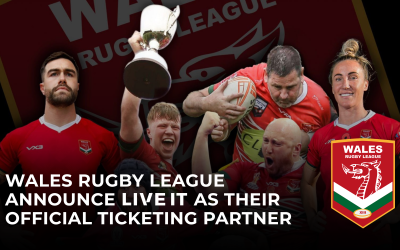
Wales Rugby League Announce LIVE IT as Their Official Ticketing Partner
Wales & Edinburgh, Scotland, 17 June 2026 – LIVE IT Ticketing and Wales Rugby League (WRL), the national governing body for rugby league in Wales, are pleased to jointly announce their official ticketing partnership. Under the agreement, LIVE IT Ticketing becomes...
Feature Focus:
Take a deep dive into the features that make our ticketing platform so well-loved by organisers and learn how best to use them.
LIVE IT × Lightspeed: When Ticketing Meets EPOS
When you're running a venue, attraction, or festival, the gap between your ticketing system and your point-of-sale is more than just a technical inconvenience. It's missed revenue, fragmented data, and hours of manual reconciliation that nobody signed up for. That's...
Scaling Smarter: 6 Powerful New LIVE IT Features Designed to Simplify Event Operations
In the world of event management, operational efficiency and attendee satisfaction are the twin engines of growth. Every manual support ticket resolved and every minute saved in event setup directly impacts your bottom line. In fact, research shows that event...

NEW FEATURE ALERT: Introducing LIVE IT’s Exclusive Access Booking
Revolutionize your events in 2024 with these impactful resolutions. Elevate experiences and stay inspired.