
In the world of event management, operational efficiency and attendee satisfaction are the twin engines of growth. Every manual support ticket resolved and every minute saved in event setup directly impacts your bottom line. In fact, research shows that event technology can increase event attendance by 20% and decrease costs by up to 30%. At LIVE IT, we are committed to building the most robust, flexible, and organiser-first ticketing platform on the market. As a Certified B Corporation™, we design features that empower organisers, protect user data, and deliver frictionless experiences for ticket buyers.
Today, we are thrilled to announce our latest feature updates designed to automate your workflows, elevate your branding, and streamline your on-site operations. Here is a comprehensive look at what is new on LIVE IT and how these features can help scale your business.
1. Customer Self-Service Booking Cancellations: Reduce Support Overhead
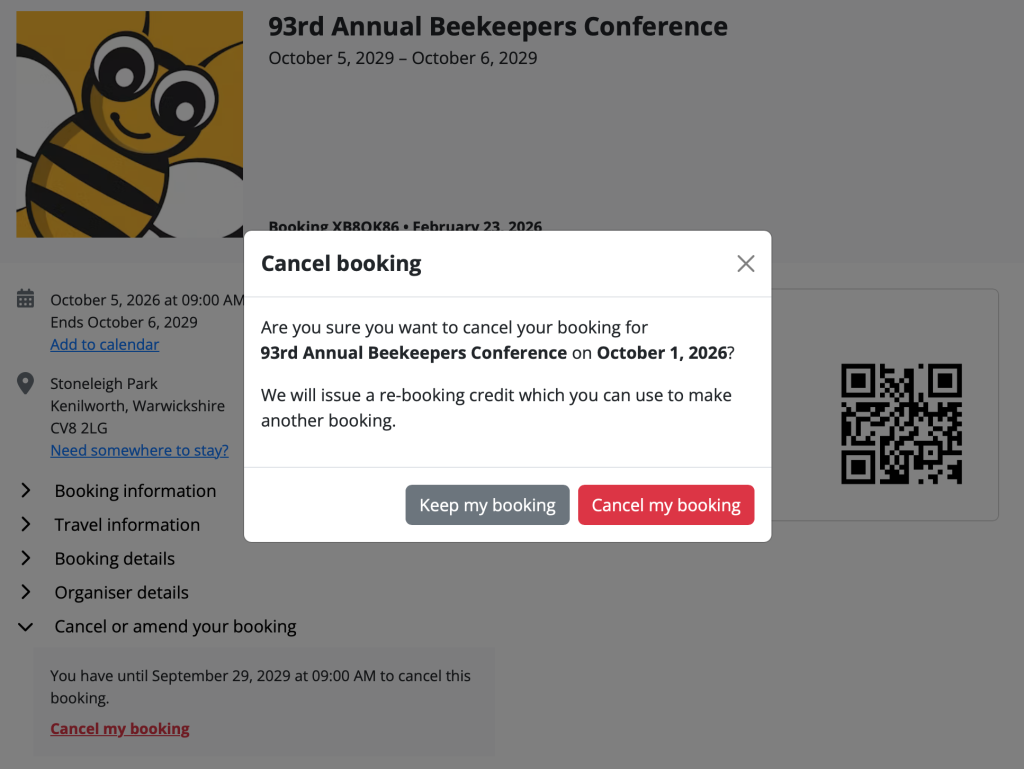
One of the most common operational bottlenecks for organisers is handling manual cancellation and re-booking requests. To solve this, we have introduced Customer Self-Service Booking Cancellations, giving ticket buyers autonomy while drastically reducing your manual support overhead.
Organisers have complete control over this feature within their settings:
→ You can toggle whether customers are permitted to cancel their own bookings. Eligible customers will see a clear “Cancel Booking” option in their customer portal.
→ For paid bookings, you can enable automatic re-booking credits issued on cancellation.
→ Free bookings are cancelled instantly, while paid bookings receive a credit code redeemable against future events.
This feature is particularly valuable for time-slot events such as exhibitions or workshops, allowing attendees to self-manage schedule conflicts without ever emailing your support team.
2. Dedicated PDF and Email Logos: Elevate Your Brand Identity
Your brand is your most valuable asset. To ensure a cohesive visual identity across every customer touchpoint, we have added support for dedicated PDF ticket and email logos.
LIVE IT clients can now upload specific, optimised logos under the advanced settings on the “Logo” page. A custom PDF logo ensures your printed and digital tickets look polished and on-brand, while a custom email logo ensures your booking confirmation emails match your wider digital aesthetic. If no secondary logo is uploaded, the system automatically falls back to your main event logo, so you always look professional, no matter what!
3. Ticket Type Scheduled Changes: One of Our Most-Loved Features
Ask any experienced event organiser what they dread most about launch day, and the answer is almost always the same: sitting at their laptop at midnight, waiting to manually flip a ticket tier. Early Bird closes, General Admission opens, and one missed click can mean overselling a tier, losing revenue, or frustrating buyers who expected a price they can no longer access. Scheduled Ticket Changes is one of the features our organisers rely on most, and once you have used it, it is impossible to imagine running events without it. You simply set the exact date, time, and status change for each ticket type in advance. LIVE IT handles the rest, automatically and precisely. You can schedule multiple ticket types to change simultaneously – opening a new tier the moment an earlier one sells out, or closing sales at a specific time before doors open. Everything runs on the event’s local timezone, so there is no room for error across international events. A clear indicator on the ticket type edit page gives you a live view of every scheduled change, so your whole team can see exactly what is happening and when. The only rule: changes must be set at least fifteen minutes in advance to ensure system stability.
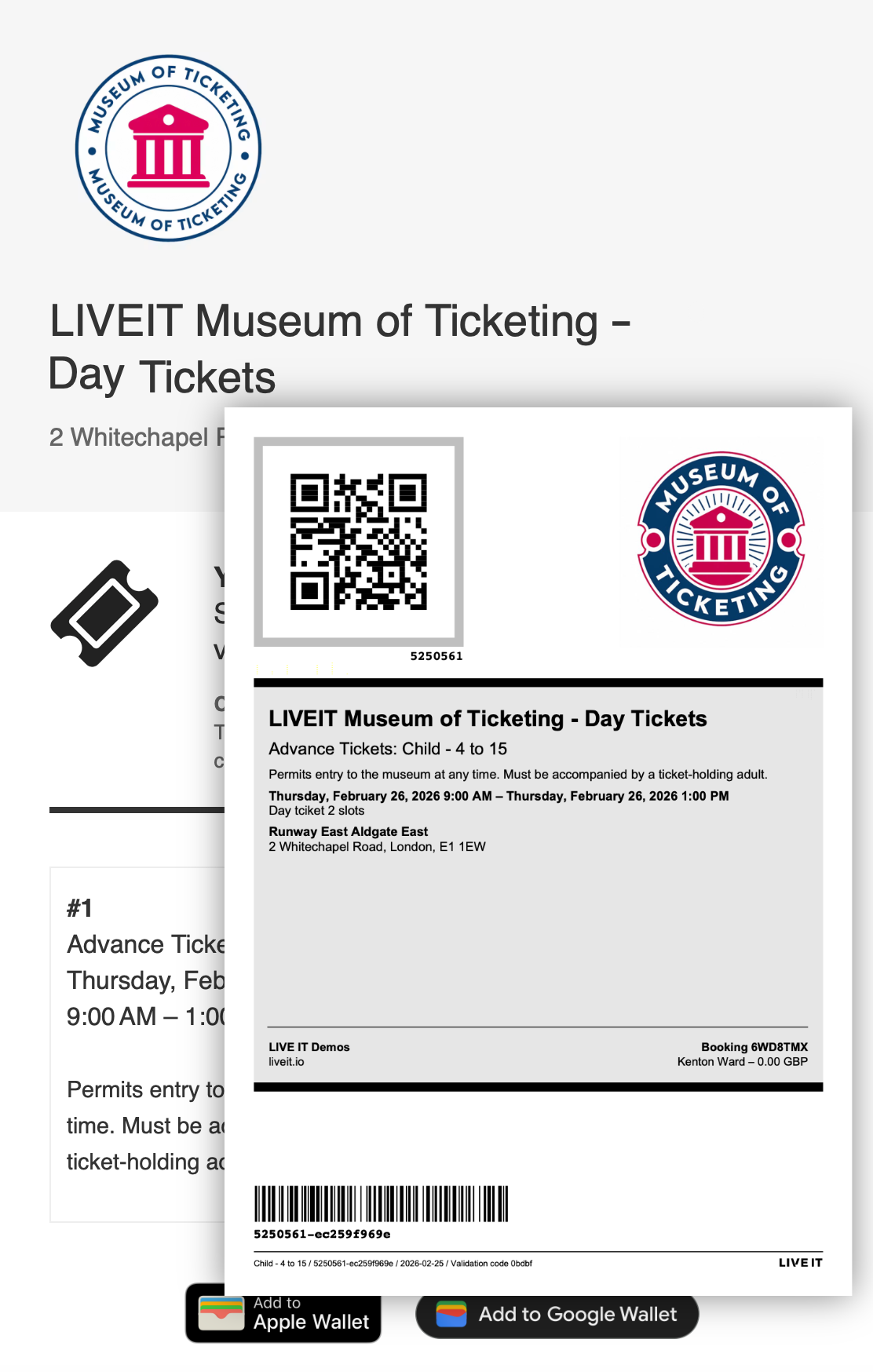
Example of logo on PDF ticket
4. Ticket Type Filtering in the Check-In App: Precision On-Site Control
On-site entry management requires speed and precision. When managing complex venues, you often need to restrict entry points to specific ticket holders – admitting VIPs through a fast-track lane, routing car park pass holders to a dedicated entrance, or opening general admission only after a VIP window has closed.
The LIVE IT Check-In App now supports Ticket Type Filtering. Operators can configure each scanning device with three distinct choices: Don’t Scan, Scan All Ticket Types, or Scan Specific Ticket Types. Selecting the third option reveals a full list of ticket types for that event, grouped by ticket type group where applicable.
If an operator scans a ticket whose type is not in the approved list, the app instantly flags it as invalid with the message “This ticket type is not in your selected ticket types”, disabling the check-in button and preventing any accidental admissions. It is precision gate control, built directly into the app.
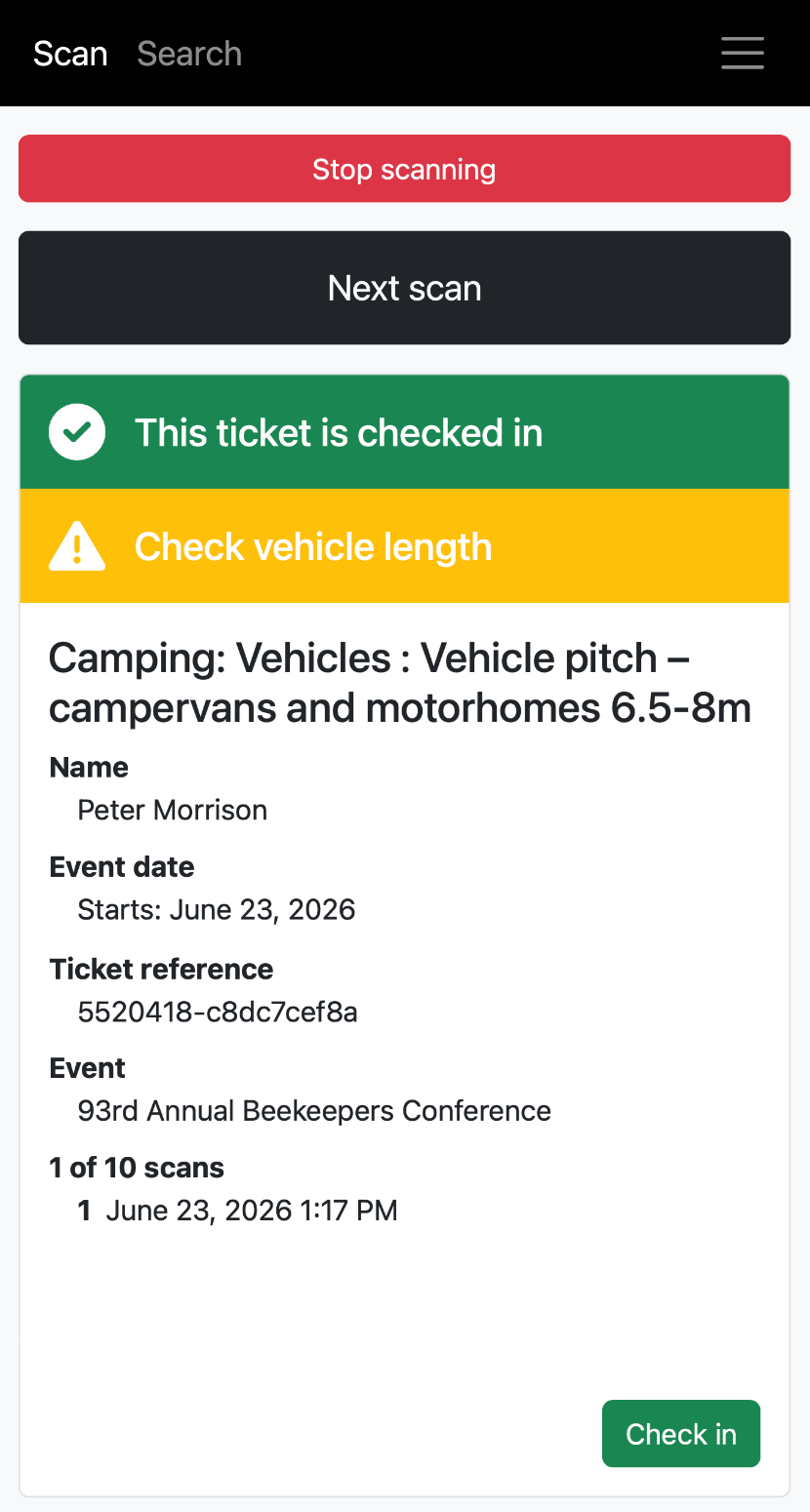
Example of a check-in alert while scanning